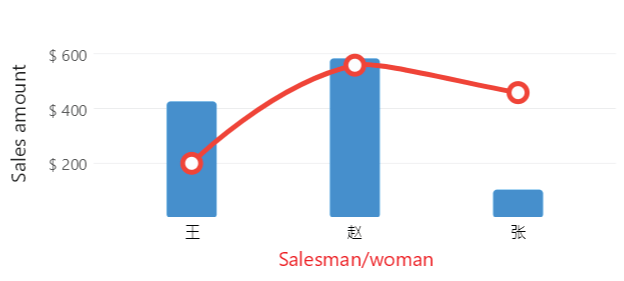
Chinease, Japanese, Arabic, Russian
Code behind
using Eto.Forms;
using LiveChartsCore;
using LiveChartsCore.SkiaSharpView;
using LiveChartsCore.SkiaSharpView.Eto;
using SkiaSharp;

namespace EtoFormsSample.Axes.LabelsFormat2;

public class View : Panel
{
    private readonly CartesianChart cartesianChart;

    public View()
    {
        // You must register any non-Latin based font //mark
        // you can add this code when the app starts to register Chinese characters: // mark

        LiveCharts.Configure(config =>
            config.HasGlobalSKTypeface(SKFontManager.Default.MatchCharacter('汉')));

        // You can learn more about extra settings at: // mark
        // https://livecharts.dev/docs/{{ platform }}/{{ version }}/Overview.Installation#configure-themes-fonts-or-mappers-optional // mark

        var values1 = new double[] { 426, 583, 104 };
        var values2 = new double[] { 200, 558, 458 };
        var labels = new string[] { "王", "赵", "张" };
        static string Labeler(double value) => value.ToString("C2");

        var series = new ISeries[]
        {
            new ColumnSeries<double> { Values = values1 },
            new ColumnSeries<double> { Values = values2, Fill = null }
        };

        var xAxis = new Axis
        {
            Name = "姓名",
            Labels = labels
        };

        var yAxis = new Axis
        {
            Name = "销售额",
            NamePadding = new LiveChartsCore.Drawing.Padding(0, 15),
            Labeler = Labeler,
            LabelsPaint = new LiveChartsCore.SkiaSharpView.Painting.SolidColorPaint(SKColors.DarkGreen)
            // You can set FontFamily, FontWeight, etc. if needed for Chinese support
        };

        cartesianChart = new CartesianChart
        {
            Series = series,
            XAxes = [xAxis],
            YAxes = [yAxis]
        };

        Content = cartesianChart;
    }
}
Articles you might also find useful: