Delayed Animations
This sample uses C# 13 preview features such as partial properties, it also uses features from the CommunityToolkit.Mvvm package, you can learn more about it here.
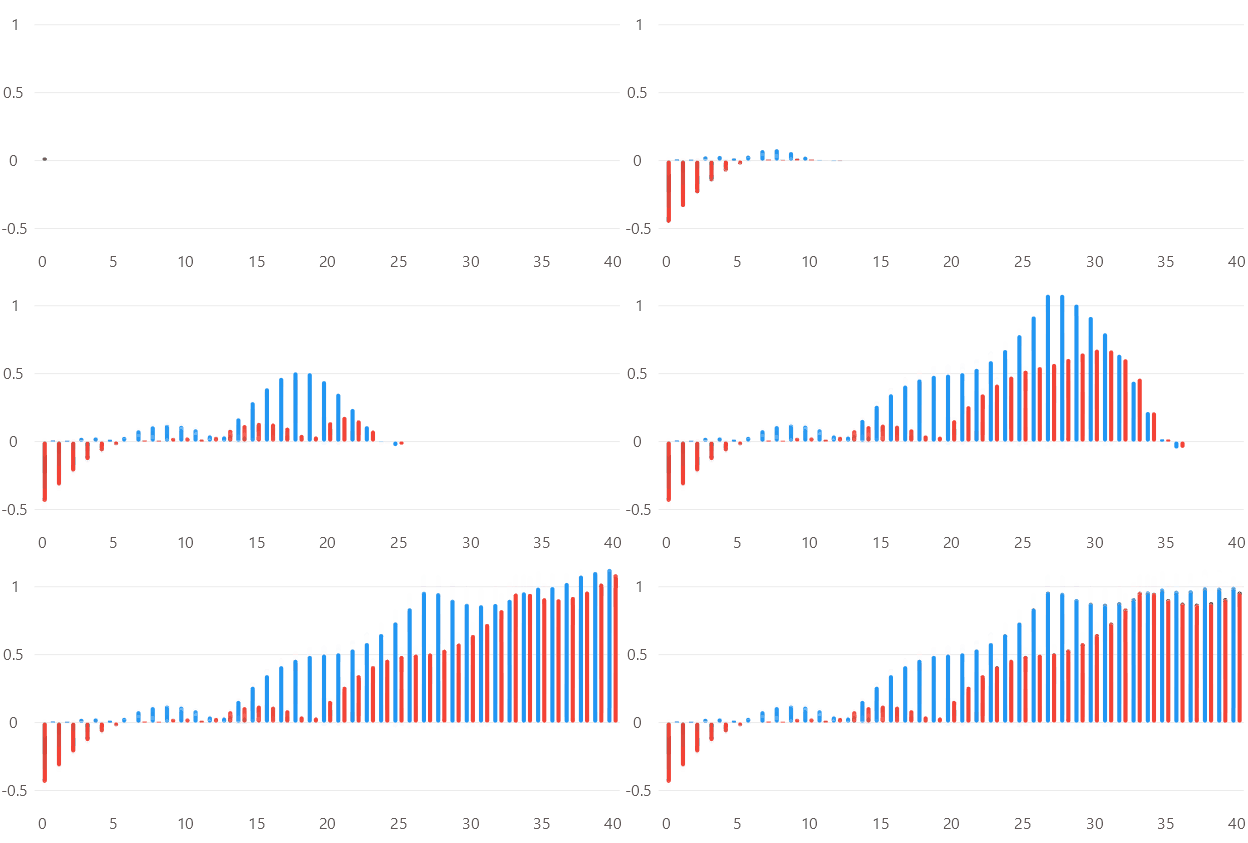
View model
using System;
using System.Collections.Generic;
using CommunityToolkit.Mvvm.Input;
using LiveChartsCore;
using LiveChartsCore.Drawing;
using LiveChartsCore.Kernel;

namespace ViewModelsSamples.Bars.DelayedAnimation;

public partial class ViewModel
{
    public float[] Values1 { get; set; } = FetchVales(0);
    public float[] Values2 { get; set; } = FetchVales(-0.15f);

    // The PointMesured command/event is triggered when a point size
    // and position is calculated, for this example we use a command,
    // but you could also subscribe to the series PointMeasured event.

    [RelayCommand]
    private void OnPointMeasured(ChartPoint point)
    {
        // each point will have a different delay depending on its index
        var index = point.Context.Entity.MetaData!.EntityIndex; // the index of the point in the data source
        var delay = index / (float)Values1.Length;

        // the animation takes a function, that represents the normalized progress of the animation
        // the parameter is the normalized time of the animation, it goes from 0 to 1
        // the function must return a value from 0 to 1, where 0 is the initial state
        // and 1 is the final state
        var duration = TimeSpan.FromSeconds(3);
        var animation = new Animation(t => DelayedEase(t, delay), duration);

        point.Context.Visual?.SetTransition(animation);
    }

    private static float DelayedEase(float t, float delay)
    {
        if (t <= delay) return 0f;

        var remappedT = (t - delay) / (1f - delay);
        var baseEasing = EasingFunctions.BuildCustomElasticOut(1.5f, 0.60f);
        return baseEasing(Math.Clamp(remappedT, 0f, 1f));
    }

    private static float[] FetchVales(float offset)
    {
        var values = new List<float>();

        // the EasingFunctions.BounceInOut, is just
        // a function that looks nice!

        var fx = EasingFunctions.BounceInOut;
        var x = 0f;

        while (x <= 1)
        {
            values.Add(fx(x + offset));
            x += 0.025f;
        }

        return [.. values];
    }
}
XAML
<UserControl
    x:Class="WinUISample.Bars.DelayedAnimation.View"
    xmlns="http://schemas.microsoft.com/winfx/2006/xaml/presentation"
    xmlns:x="http://schemas.microsoft.com/winfx/2006/xaml"
    xmlns:d="http://schemas.microsoft.com/expression/blend/2008"
    xmlns:mc="http://schemas.openxmlformats.org/markup-compatibility/2006"
    xmlns:lvc="using:LiveChartsCore.SkiaSharpView.WinUI"
    xmlns:vms="using:ViewModelsSamples.Bars.DelayedAnimation"
    mc:Ignorable="d">

    <UserControl.DataContext>
        <vms:ViewModel/>
    </UserControl.DataContext>

    <lvc:CartesianChart>
        <lvc:CartesianChart.Series>
            <lvc:SeriesCollection>
                <lvc:XamlColumnSeries
                    Values="{Binding Values1}"
                    Padding="2"
                    PointMeasuredCommand="{Binding PointMeasuredCommand}"/>
                <lvc:XamlColumnSeries
                    Values="{Binding Values2}"
                    Padding="0"
                    PointMeasuredCommand="{Binding PointMeasuredCommand}"/>
            </lvc:SeriesCollection>
        </lvc:CartesianChart.Series>
    </lvc:CartesianChart>

</UserControl>
