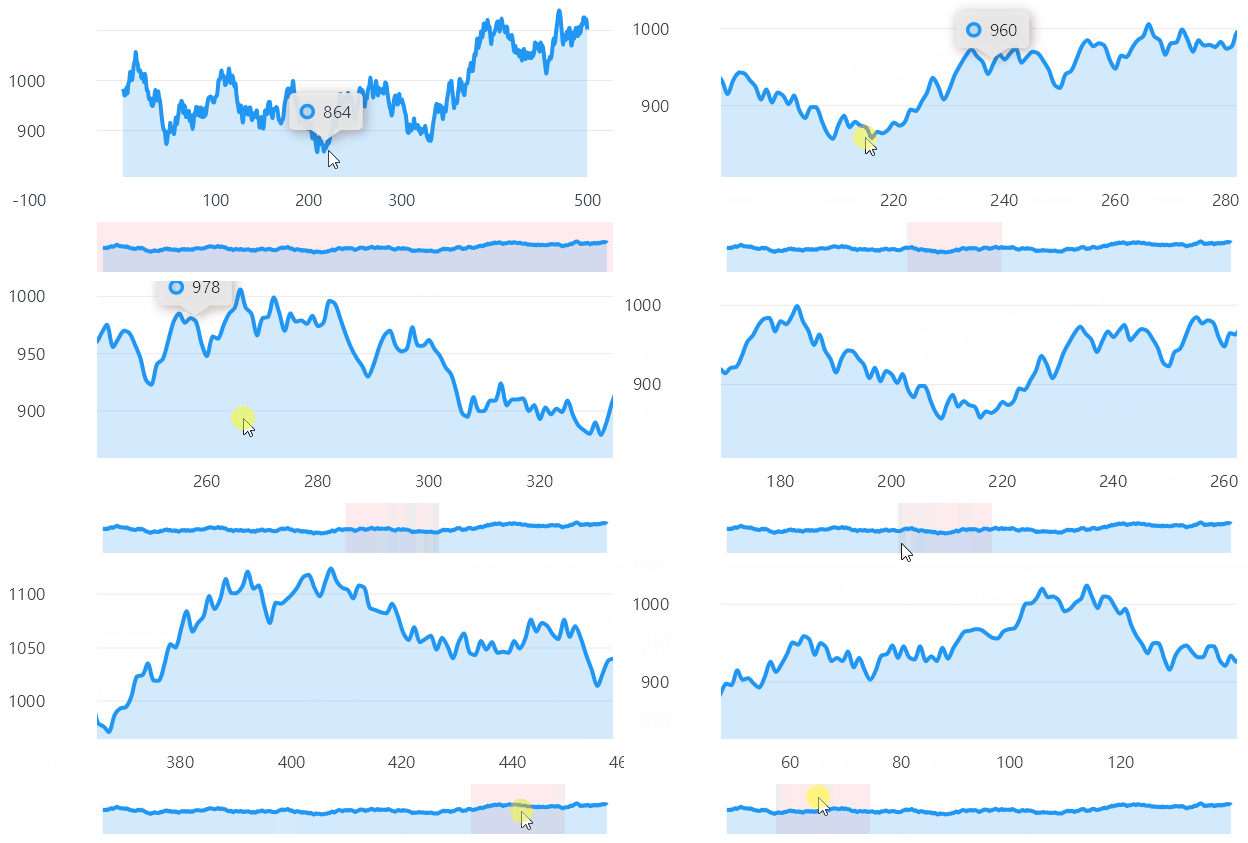
Code behind
using System;
using System.Collections.ObjectModel;
using System.Linq;
using System.Windows.Forms;
using LiveChartsCore.Defaults;
using LiveChartsCore.Kernel.Sketches;
using LiveChartsCore.SkiaSharpView;
using LiveChartsCore.SkiaSharpView.Drawing;
using LiveChartsCore.SkiaSharpView.Painting;
using LiveChartsCore.SkiaSharpView.WinForms;
using SkiaSharp;
using ViewModelsSamples.General.Scrollable;

namespace WinFormsSample.General.Scrollable;

public partial class View : UserControl
{
    private readonly CartesianChart _mainChart;
    private readonly CartesianChart _scrollBarChart;
    private bool _isDown = false;
    private readonly ObservableCollection<ObservablePoint> _values = [];

    public View()
    {
        InitializeComponent();

        Size = new System.Drawing.Size(50, 50);

        var trend = 1000;
        var r = new Random();

        for (var i = 0; i < 500; i++)
            _values.Add(new ObservablePoint(i, trend += r.Next(-20, 20)));

        var auto = LiveChartsCore.Measure.Margin.Auto;

        _mainChart = new CartesianChart
        {
            Series = [
                new LineSeries<ObservablePoint>
                {
                    Values = _values,
                    GeometryStroke = null,
                    GeometryFill = null,
                    DataPadding = new(0, 1)
                }
            ],
            XAxes = [new Axis()],
            ZoomMode = LiveChartsCore.Measure.ZoomAndPanMode.X,

            // force the left margin to be 100 and the right margin 50 in both charts, this will
            // align the start and end point of the "draw margin",
            // no matter the size of the labels in the Y axis of both chart.
            DrawMargin = new(100, auto, 50, auto),

            // out of livecharts properties...
            Location = new System.Drawing.Point(0, 0),
            Size = new System.Drawing.Size(50, 50),
            Dock = DockStyle.Fill
        };

        _mainChart.UpdateStarted += OnChart_Updated;

        _scrollBarChart = new CartesianChart
        {
            Series = [
                new LineSeries<ObservablePoint>
                {
                Values = _values,
                GeometryStroke = null,
                GeometryFill = null,
                DataPadding = new(0, 1)
            }],
            DrawMargin = new(100, auto, 50, auto),
            Sections = [
                new RectangularSection
                {
                    Fill = new SolidColorPaint(new SKColor(255, 205, 210, 100))
                }
            ],
            XAxes = [new Axis { IsVisible = false }],
            YAxes = [new Axis { IsVisible = false }],
            TooltipPosition = LiveChartsCore.Measure.TooltipPosition.Hidden,

            // out of livecharts properties...
            Location = new System.Drawing.Point(0, 0),
            Size = new System.Drawing.Size(50, 50),
            Dock = DockStyle.Fill
        };

        _scrollBarChart.MouseDown += CartesianChart2_MouseDown;
        _scrollBarChart.GetDrawnControl().MouseMove += CartesianChart2_MouseMove;
        _scrollBarChart.MouseUp += CartesianChart2_MouseUp;

        var splitContainer = new SplitContainer
        {
            Anchor = AnchorStyles.Top | AnchorStyles.Bottom | AnchorStyles.Left | AnchorStyles.Right,
            //IsSplitterFixed = true,
            Orientation = Orientation.Horizontal
        };

        splitContainer.Panel1.Controls.Add(_mainChart);
        splitContainer.Panel2.Controls.Add(_scrollBarChart);
        Controls.Add(splitContainer);
    }

    private void OnChart_Updated(IChartView chart)
    {
        var cartesianChart = (CartesianChart)chart;
        var x = cartesianChart.XAxes.First();

        // update the scroll bar thumb when the chart is updated (zoom/pan)
        // this will let the user know the current visible range
        var thumb = (RectangularSection)_scrollBarChart.Sections.First();

        thumb.Xi = x.MinLimit;
        thumb.Xj = x.MaxLimit;
    }

    private void CartesianChart2_MouseDown(object sender, MouseEventArgs e) =>
        _isDown = true;

    private void CartesianChart2_MouseUp(object sender, MouseEventArgs e) =>
    _isDown = false;

    private void CartesianChart2_MouseMove(object sender, MouseEventArgs e)
    {
        if (!_isDown) return;

        var scrollBarChart = _scrollBarChart;

        var positionInData = scrollBarChart.ScalePixelsToData(new(e.Location.X, e.Location.Y));

        var thumb = (RectangularSection)_scrollBarChart.Sections.First();
        var currentRange = thumb.Xj - thumb.Xi;

        // update the scroll bar thumb when the user is dragging the chart
        thumb.Xi = positionInData.X - currentRange / 2;
        thumb.Xj = positionInData.X + currentRange / 2;

        // update the chart visible range
        _mainChart.XAxes.First().MinLimit = thumb.Xi;
        _mainChart.XAxes.First().MaxLimit = thumb.Xj;
    }
}
Articles you might also find useful: