Pressed and hover events
You can request a chart to find the elements in a given position using the Chart.GetPointsAt() or
Chart.GetVisualsAt() methods.
Finding hovered or pressed points
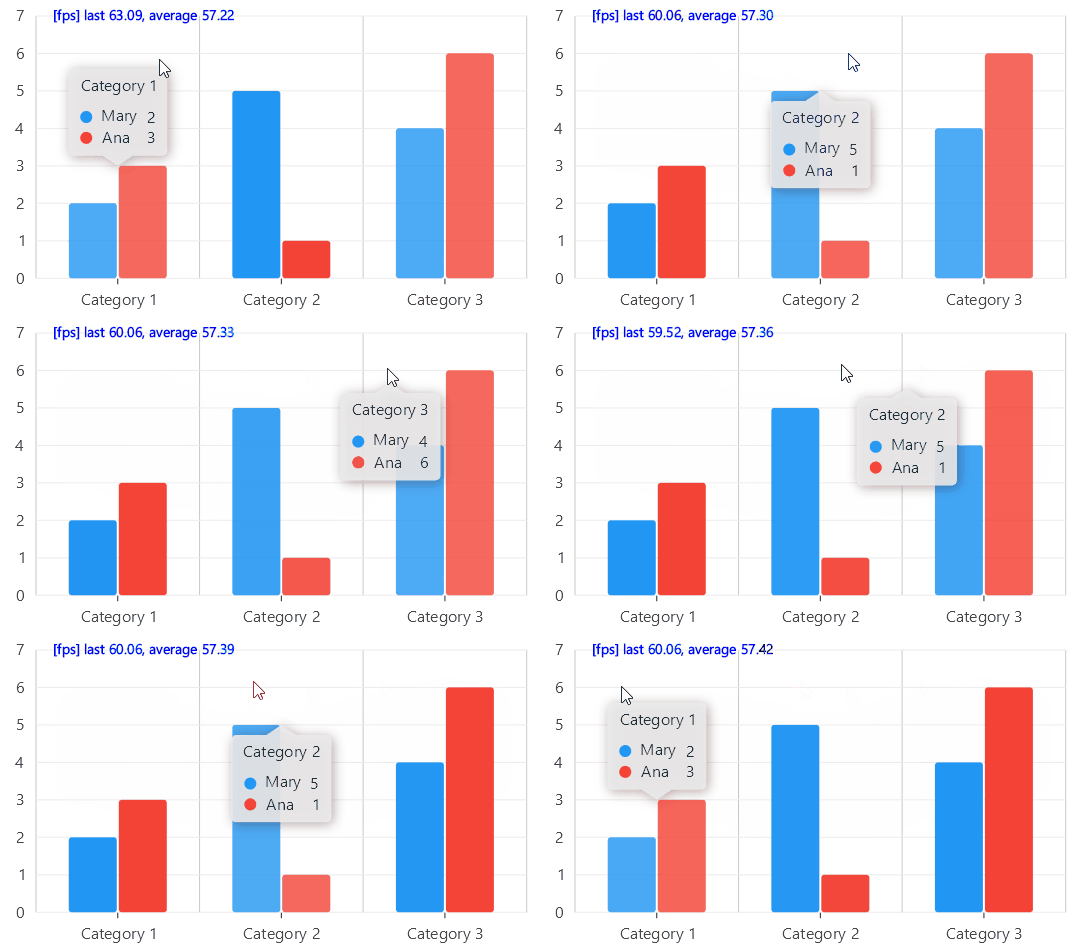
When a series point is drawn, it also defines a virtual area called HoverArea, this area is what determines
when a point is pressed/hovered; For example in the next gif, the tooltip opens for both Mary and Ana even when
the pointer is not in the drawn shape, this is because the HoverArea is not the same as the drawn column.
FindingStrategy
The Chart.FindingStrategy property, defines the method to use to find points in the chart, this strategy is used for
tooltips, hover events and pressed events. By default it is FindingStrategy.Automatic, and it means that the chart will decide
the best strategy based on the defaults on each series type, in the next example we use the default automatic strategy in a couple
of column series, you can learn more about the supported strategies here.
Chart events
This is the recommended way to detect when a ChartPoint is pressed or hovered by the user, you can use the Pressed or HoveredPointsChanged
commands/events to run actions as the user interacts with the chart.
using System.Collections.Generic;
using System.Diagnostics;
using System.Linq;
using CommunityToolkit.Mvvm.Input;
using LiveChartsCore;
using LiveChartsCore.Drawing;
using LiveChartsCore.Kernel;
using LiveChartsCore.Kernel.Events;
using LiveChartsCore.Measure;
using LiveChartsCore.SkiaSharpView;
using LiveChartsCore.SkiaSharpView.Painting;
using SkiaSharp;

namespace ViewModelsSamples.Events.Tutorial;

public partial class ViewModel
{
    private readonly HashSet<ChartPoint> _activePoints = [];

    public FindingStrategy Strategy { get; } = FindingStrategy.ExactMatch;

    public ISeries[] SeriesCollection { get; set; } = [
        new ColumnSeries<int>([1, 5, 4, 3])
        {
            Stroke = new SolidColorPaint { Color = SKColors.Transparent }
        },
        new ColumnSeries<int>([3, 2, 6, 2])
        {
            Stroke = new SolidColorPaint { Color = SKColors.Transparent }
        }
    ];

    [RelayCommand]
    public void OnPressed(PointerCommandArgs args)
    {
        var foundPoints = args.Chart.GetPointsAt(args.PointerPosition);

        foreach (var point in foundPoints)
        {
            var geometry = (DrawnGeometry)point.Context.Visual!;

            if (!_activePoints.Contains(point))
            {
                geometry.Fill = new SolidColorPaint { Color = SKColors.Yellow };
                _activePoints.Add(point);
            }
            else
            {
                // clear the fill to the default value
                geometry.Fill = null;
                _activePoints.Remove(point);
            }

            Trace.WriteLine($"found {point.Context.DataSource}");
        }
    }

    [RelayCommand]
    public void OnHoveredPointsChanged(HoverCommandArgs args)
    {
        // the NewPoints contains the new hovered points // mark
        foreach (var hovered in args.NewPoints ?? [])
        {
            // in this case, we will set a black stroke on the drawn gemetry. // mark
            var geometry = (DrawnGeometry)hovered.Context.Visual!;
            geometry.Stroke = new SolidColorPaint(SKColors.Black, 3);
        }

        // the OldPoints contains the points that are not hovered anymore // mark
        foreach (var hovered in args.OldPoints ?? [])
        {
            // now, we will clear the stroke. // mark
            var geometry = (DrawnGeometry)hovered.Context.Visual!;
            geometry.Stroke = null;
        }

        Trace.WriteLine(
            $"hovered, {args.NewPoints?.Count()} added, {args.OldPoints?.Count()} removed");
    }
}
using System.Collections.Generic;
using System.Windows.Forms;
using LiveChartsCore.Kernel;
using LiveChartsCore.Kernel.Events;
using LiveChartsCore.Kernel.Sketches;
using LiveChartsCore.SkiaSharpView.WinForms;
using ViewModelsSamples.Events.Tutorial;

namespace WinFormsSample.Events.Tutorial;

public partial class View : UserControl
{
    private readonly ViewModel _viewModel;
    private readonly CartesianChart _chart;

    /// <summary>
    /// Initializes a new instance of the <see cref="View"/> class.
    /// </summary>
    public View()
    {
        InitializeComponent();
        Size = new System.Drawing.Size(50, 50);

        _viewModel = new ViewModel();

        _chart = new CartesianChart
        {
            Series = _viewModel.SeriesCollection,
            FindingStrategy = _viewModel.Strategy,

            // out of livecharts properties...
            Location = new System.Drawing.Point(0, 0),
            Size = new System.Drawing.Size(50, 50),
            Anchor = AnchorStyles.Left | AnchorStyles.Right | AnchorStyles.Top | AnchorStyles.Bottom
        };

        _chart.MouseDown += CartesianChart_MouseDown;
        _chart.HoveredPointsChanged += OnHoveredChanged;

        Controls.Add(_chart);
    }

    private void CartesianChart_MouseDown(object sender, MouseEventArgs e) =>
        _viewModel.OnPressed(new PointerCommandArgs(_chart, new(e.Location.X, e.Location.Y), e));

    private void OnHoveredChanged(
        IChartView chart, IEnumerable<ChartPoint> newItems, IEnumerable<ChartPoint> oldItems) =>
            _viewModel.OnHoveredPointsChanged(new HoverCommandArgs(chart, newItems, oldItems));
}
In that example, we created the OnHoveredPointsChanged method, this method is called every time the "hovered" points change, hover
occurs when the pointer is over a ChartPoint, we toggle the Stroke from null to black when the pointer is over a column.
Also in the OnPressed method, we toggle the Fill from yellow to the default colors of the series, the Pressed command/event
is a standard in the library for all the supported UI frameworks, but you can also use the events/commands provided in your
UI framework.
Both OnHoveredPointsChanged and OnPressed are marked with the RelayCommand attribute, this generates the PressedCommand and
HoveredPointsChangedCommand properties.
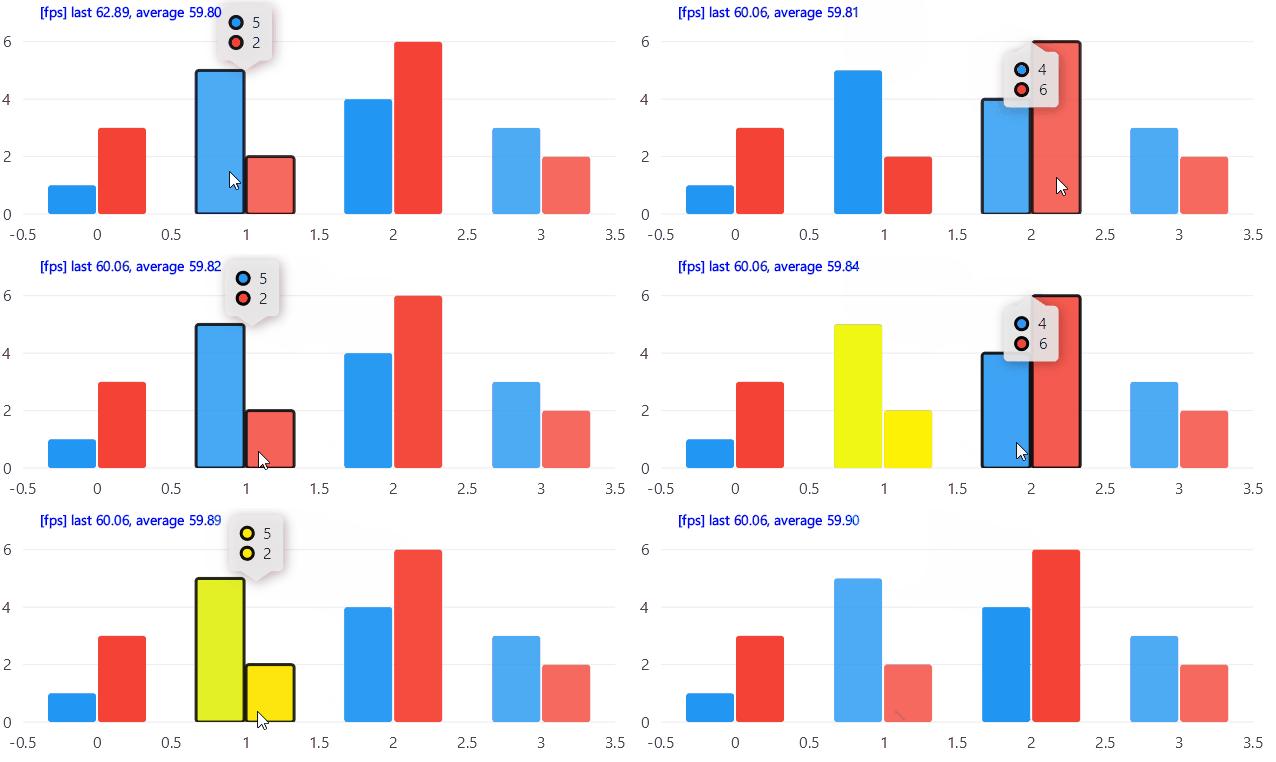
When running that example on the FindingStrategy.Automatic we get:
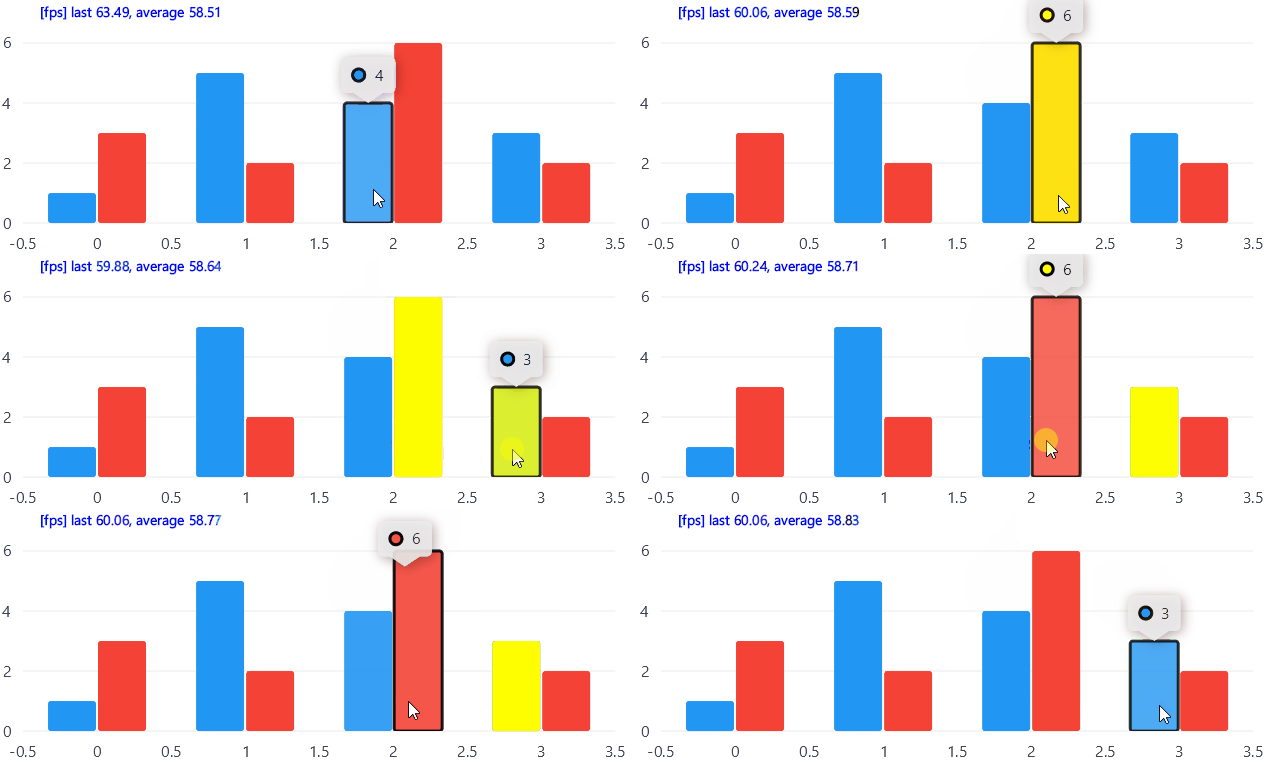
But changing the strategy to FindingStrategy.ExactMatch, will only trigger only the points whose drawn column contains the pointer:
Override the find logic
You can also build your own logic by overriding the Series.FindPointsInPosition method, for example in the next case,
when the find request is made by a hover action, we return only the points whose hover area contains the pointer in the X axis,
but when the request is made by any other source, we evaluate whether the pointer is inside the Y axis.
using System.Collections.Generic;
using System.Linq;
using LiveChartsCore;
using LiveChartsCore.Drawing;
using LiveChartsCore.Kernel;
using LiveChartsCore.Kernel.Drawing;
using LiveChartsCore.Measure;
using LiveChartsCore.SkiaSharpView;

namespace ViewModelsSamples.Events.OverrideFind;

public class ViewModel
{
    public ISeries[] Series { get; set; } = [
        new CustomColumnSeries<int> { Values = [9, 5, 7, 3, 7, 3] },
        new CustomColumnSeries<int> { Values = [8, 2, 3, 2, 5, 2] }
    ];

    public class CustomColumnSeries<T> : ColumnSeries<T>
    {
        protected override IEnumerable<ChartPoint> FindPointsInPosition(
            Chart chart, LvcPoint pointerPosition, FindingStrategy strategy, FindPointFor findPointFor)
        {
            return Fetch(chart).Where(point =>
            {
                var ha = (RectangleHoverArea?)point.Context.HoverArea;
                if (ha is null) return false;

                var isInsideX = ha.X <= pointerPosition.X && pointerPosition.X <= ha.X + ha.Width;
                var isInsideY = ha.Y <= pointerPosition.Y && pointerPosition.Y <= ha.Y + ha.Height;

                return findPointFor == FindPointFor.HoverEvent
                    ? isInsideX
                    : isInsideY;
            });
        }
    }
}
