~/cartesianChart/legends.md
Legends
A legend is a visual element that displays a list with the name, stroke and fills of the series in a chart:
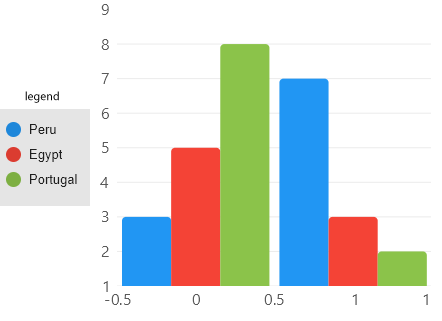
You can place a legend at Top, Bottom, Left, Right or Hidden positions, notice the Hidden position will
disable legends in a chart, default value is Hidden.
Customize default legends
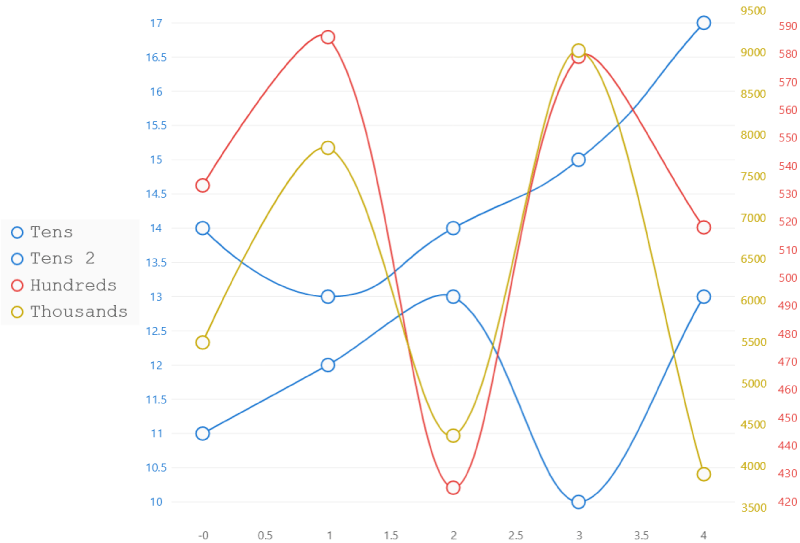
You can use the chart LegendPosition, LegendTextPaint, LegendBackgroundPaint and LegendTextSize to
define the legend look (full example here).
Tooltip control from scratch
You can also create your own legend, the recommended way is to use the LiveCharts API (example below) but you can
use anything as tooltip as soon as it implements the IChartLegend<T> interface. At the following example we build
a custom control to render legends in our charts using the LiveCharts API.
CustomLegend.cs
using System.Linq;
using LiveChartsCore;
using LiveChartsCore.Drawing;
using LiveChartsCore.Drawing.Layouts;
using LiveChartsCore.SkiaSharpView.Drawing;
using LiveChartsCore.SkiaSharpView.Drawing.Layouts;
using LiveChartsCore.SkiaSharpView.SKCharts;

namespace ViewModelsSamples.General.TemplatedLegends;

public class CustomLegend : SKDefaultLegend
{
    protected override Layout<SkiaSharpDrawingContext> GetLayout(Chart chart)
    {
        var theme = chart.GetTheme();

        var stackLayout = new StackLayout
        {
            Orientation = ContainerOrientation.Vertical,
            Padding = new Padding(15, 4),
            HorizontalAlignment = Align.Start,
            VerticalAlignment = Align.Middle,
        };

        foreach (var series in chart.Series.Where(x => x.IsVisibleAtLegend))
            stackLayout.Children.Add(new LegendItem(series, theme.TooltipTextPaint));

        return stackLayout;
    }
}
View
using Eto.Forms;
using LiveChartsCore;
using LiveChartsCore.SkiaSharpView;
using LiveChartsCore.SkiaSharpView.Eto;
using ViewModelsSamples.General.TemplatedLegends;

namespace EtoFormsSample.General.TemplatedLegends;

public class View : Panel
{
    private readonly CartesianChart cartesianChart;

    public View()
    {
        var viewModel = new ViewModel();

        var series = new ISeries[]
        {
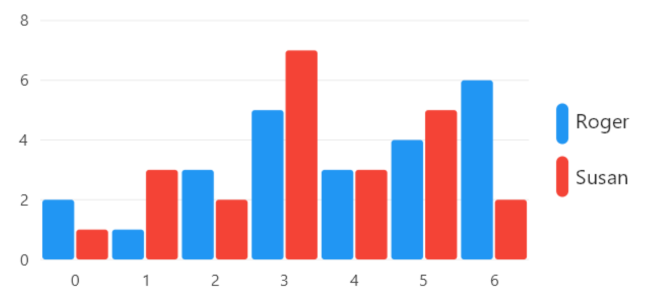
            new ColumnSeries<double> { Values = viewModel.RogerValues, Name = "Roger" },
            new ColumnSeries<double> { Values = viewModel.SusanValues, Name = "Susan" }
        };

        cartesianChart = new CartesianChart
        {
            Series = series,
            LegendPosition = LiveChartsCore.Measure.LegendPosition.Right,
            Legend = new CustomLegend()
        };

        Content = cartesianChart;
    }
}