Charts As Image/Svg
Code behind
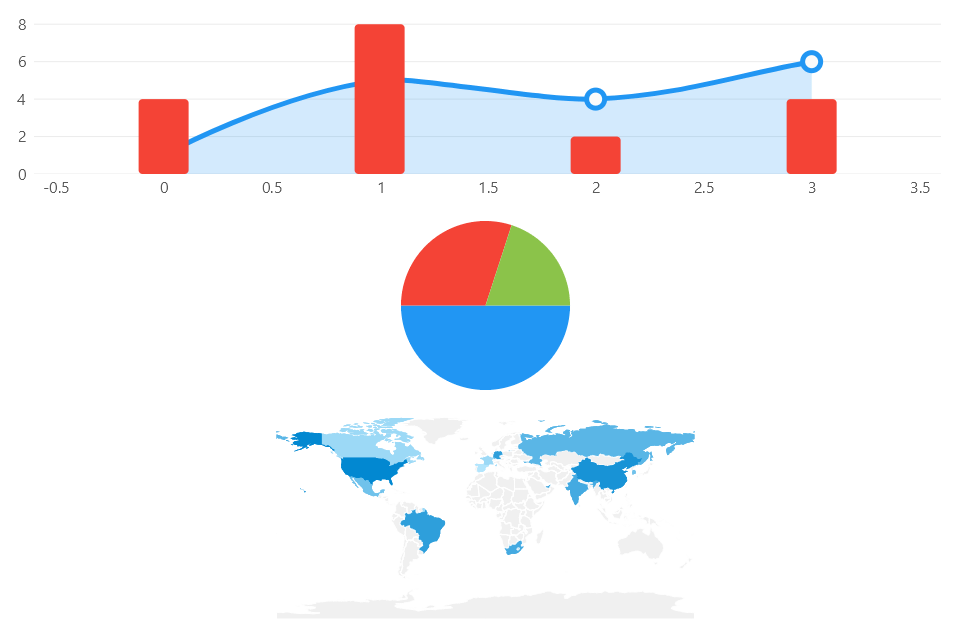
Having the previous data (ViewModel), we add 3 charts to the UI, a CartesianChart, a PieChart and a GeoMap.
using Eto.Forms;
using LiveChartsCore.SkiaSharpView.SKCharts;
using LiveChartsCore.SkiaSharpView.Eto;
using LiveChartsCore.SkiaSharpView;
using ViewModelsSamples.General.ChartToImage;
using LiveChartsCore;

namespace EtoFormsSample.General.ChartToImage;

public class View : Panel
{
    private readonly CartesianChart _cartesian;
    private readonly PieChart _pie;

    public View()
    {
        var viewModel = new ViewModel();

        // Adding a cartesian chart to the UI...
        _cartesian = new CartesianChart
        {
            Series =
            [
                new ColumnSeries<double> { Values = viewModel.Values1 },
                new LineSeries<double> { Values = viewModel.Values2 }
            ]
        };

        // Adding a pie chart to the UI...
        _pie = new PieChart
        {
            Series =
            [
                new PieSeries<double> { Values = viewModel.PieValues1 },
                new PieSeries<double> { Values = viewModel.PieValues2 },
                new PieSeries<double> { Values = viewModel.PieValues3 }
            ]
        };

        Content = new DynamicLayout(
            new DynamicRow(new DynamicControl { Control = _cartesian, YScale = true }),
            new DynamicRow(new DynamicControl { Control = _pie, YScale = true })
        );

        // now lets create the images
        CreateImageFromCartesianControl();
        CreateImageFromPieControl();
    }

    private void CreateImageFromCartesianControl()
    {
        var chartControl = _cartesian;
        var skChart = new SKCartesianChart(chartControl);
        skChart.SaveImage("CartesianImageFromControl.png");
    }

    private void CreateImageFromPieControl()
    {
        var chartControl = _pie;
        var skChart = new SKPieChart(chartControl);
        skChart.SaveImage("PieImageFromControl.png");
    }
}
You will get the following plot in the UI.
Build an image in the server side or console app
LiveCharts can render images without the need of any UI framework, you can build images in the server side or in a console application as far as you install the SkiaSharp view package, it is available from NuGet:
Notice any view of LiveCharts (WPF, WinForms, Maui, etc..) has a dependency on LiveChartsCore.SkiaSharpView package, thus you do not need to install this package again if you are already using LiveCharts to render any control in the UI.
The next code block build a CartesianChart, a PieChart and a GeoMap chart as images, to reproduce this sample
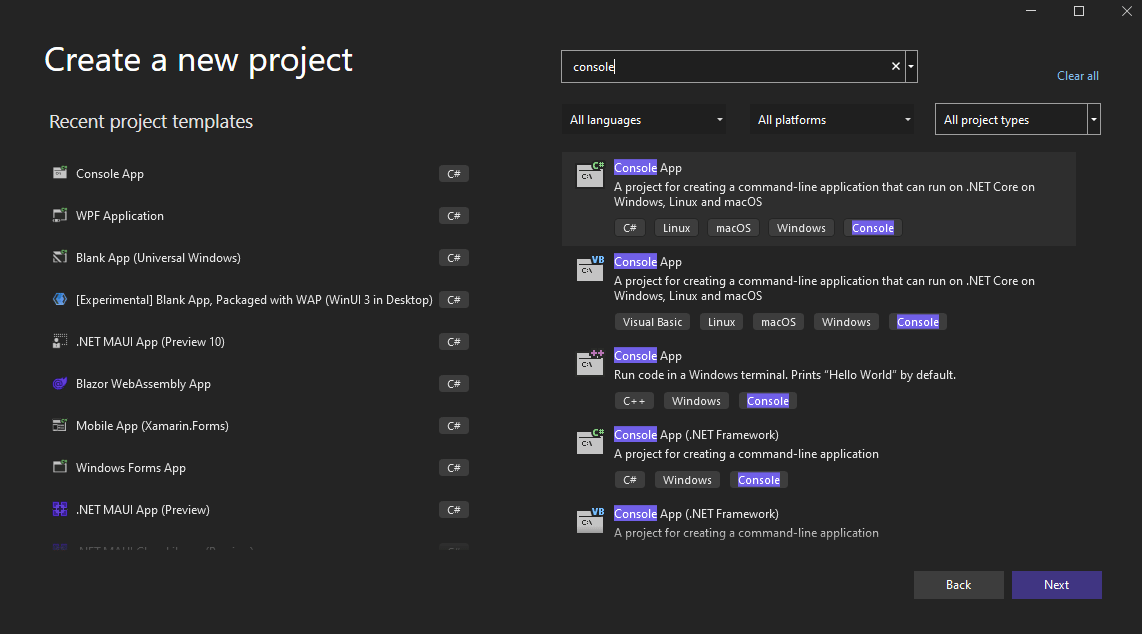
create a new ConsoleApplication in VisualStudio 2022, select .Net 6.0 as the framework.
The Net 6.0 template is much cleaner than previous console app templates, notice also that LiveCharts is available in .NET 5.0, .NET core 3.1 or .NET framework (classic) 4.6.2 or greater.
Finally build the images in the Program.cs file.
~/../samples/ConsoleSample/ConsoleSample/Program.cs```

:::tip
Notice that the previous code also works in an `ASP.net` project, as far as you are using .NET core 3.1 or greater
:::
